How to Use Your Meeting History in Claude or ChatGPT
AI assistants are only as useful as what they know. Ask Claude or ChatGPT to draft a follow-up to yesterday's client call and the first thing you do is paste in a transcript, explain who everyone is, and remind it what happened last time. Next week you do it all again.
What a connector changes
Claude, ChatGPT and other AI apps can now connect to outside tools through a standard called MCP (Model Context Protocol). A connector lets the AI read from a tool you use, with your permission, instead of you copying things into the chat.
Easen has one. Once it's connected, your AI app can read your Easen meeting records directly: summaries, decisions, commitments and transcripts. It starts every conversation already knowing what was said.
What you can ask
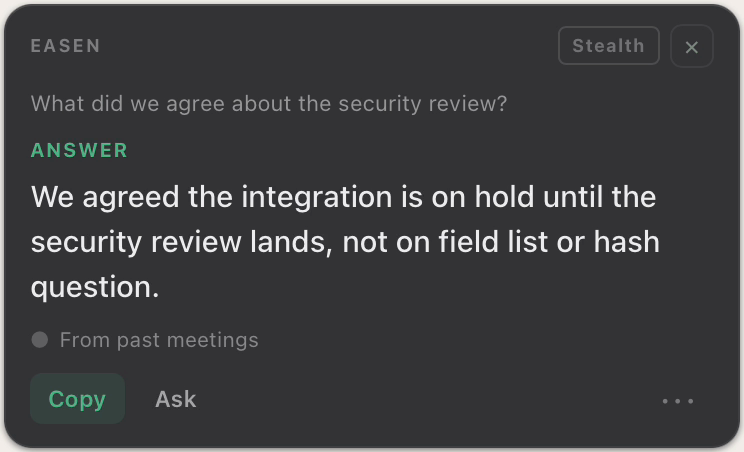
- “What did we agree with Northwind about the security review?”
- “What do I owe people this week, and is anything overdue?”
- “Find my last meeting with Priya Raman and summarise the decisions.”
- “Quote exactly what Priya promised in the data mapping meeting.”
- “Draft the follow-up for the meeting I just finished.”
How to set it up in Claude
- In Claude, open Settings, then Connectors, then Add custom connector.
- Name it Easen and paste the address mcp.easen.ai/mcp.
- Press Connect. A browser window opens: sign in to Easen and allow access.
- Ask about any meeting, or all of them at once.
ChatGPT and other apps that accept an MCP server address work the same way: add the same address and sign in to Easen when asked.
What stays private
- The connection is read-only. Your AI app can read your Easen records but never change them.
- It sees only your own account.
- Following a meeting while it's happening is off until you turn on Live meeting access, and interviews are never shared.
- You can disconnect at any time in Easen's Settings, which ends access immediately.
The Claude and ChatGPT connector is part of Easen Professional, and included in the 7-day free trial.
See the connectorFAQ
Can Claude or ChatGPT change my meeting records?
No. Easen's connector is read-only. The AI app can read your meetings, decisions, commitments and transcripts, but it cannot edit or delete anything.
Which AI apps work with Easen?
Claude and ChatGPT, plus any app that supports custom MCP connectors. Setup is the same everywhere: add the address mcp.easen.ai/mcp and sign in to Easen.
Try Easen in your next meeting
Real-time suggestions, automatic summaries, and searchable memory, free for 7 days, no card required.
Start free