Live answers
The right words, while they're still asking.
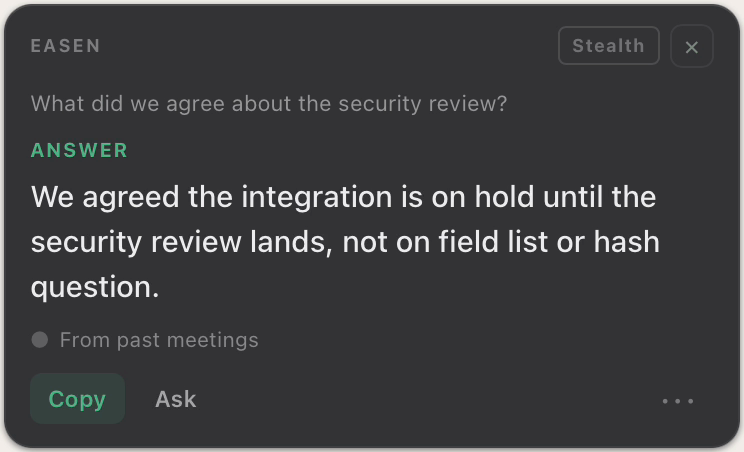
When a question lands in your meeting, Easen answers it from your own past meetings, and shows you where the answer came from.
Free for 7 days. No card needed.
In the moment
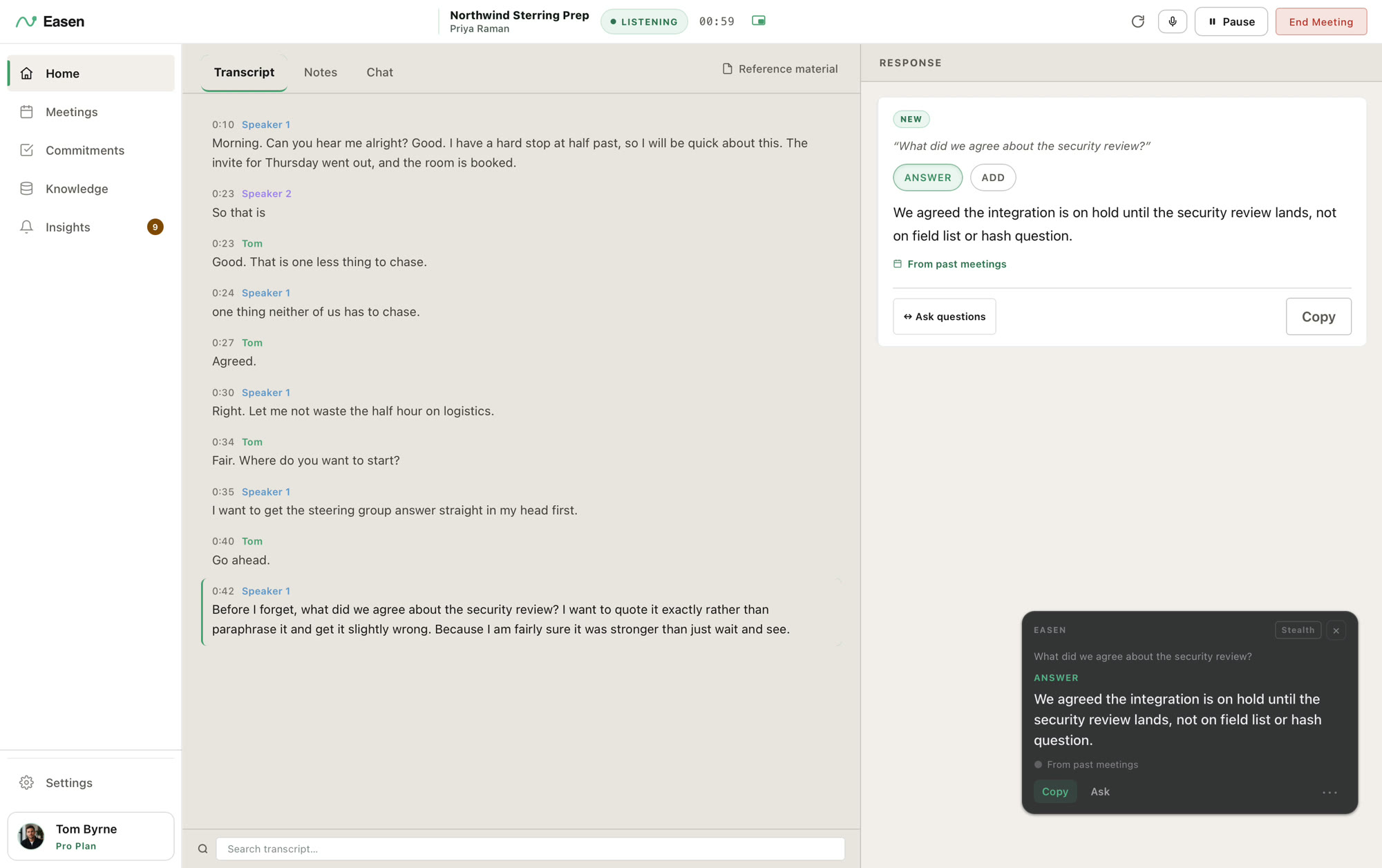
The question lands. You already have the answer.
Without Easen
- Scroll through old notes while everyone waits
- Say you'll get back to them
- Answer from memory and hope it's right
- Send the correction by email tomorrow
With Easen
Just glance.
The answer is on your screen before the silence gets long, in words you can say out loud.
From your history
Answers from what was actually said.
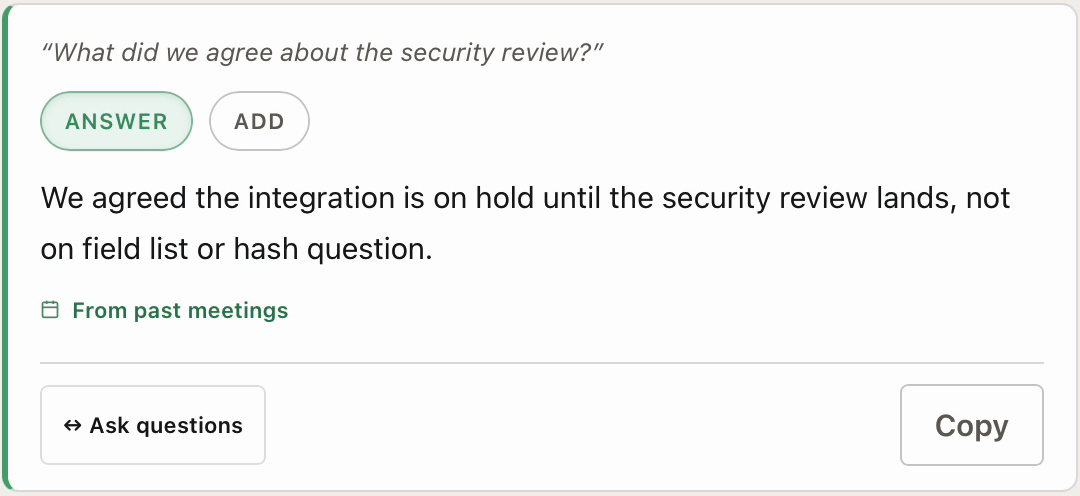
Easen answers from your own meetings and marks each card with where it found the answer. If it was never said, it tells you so instead of guessing.
One tap
Not sure what to ask next?
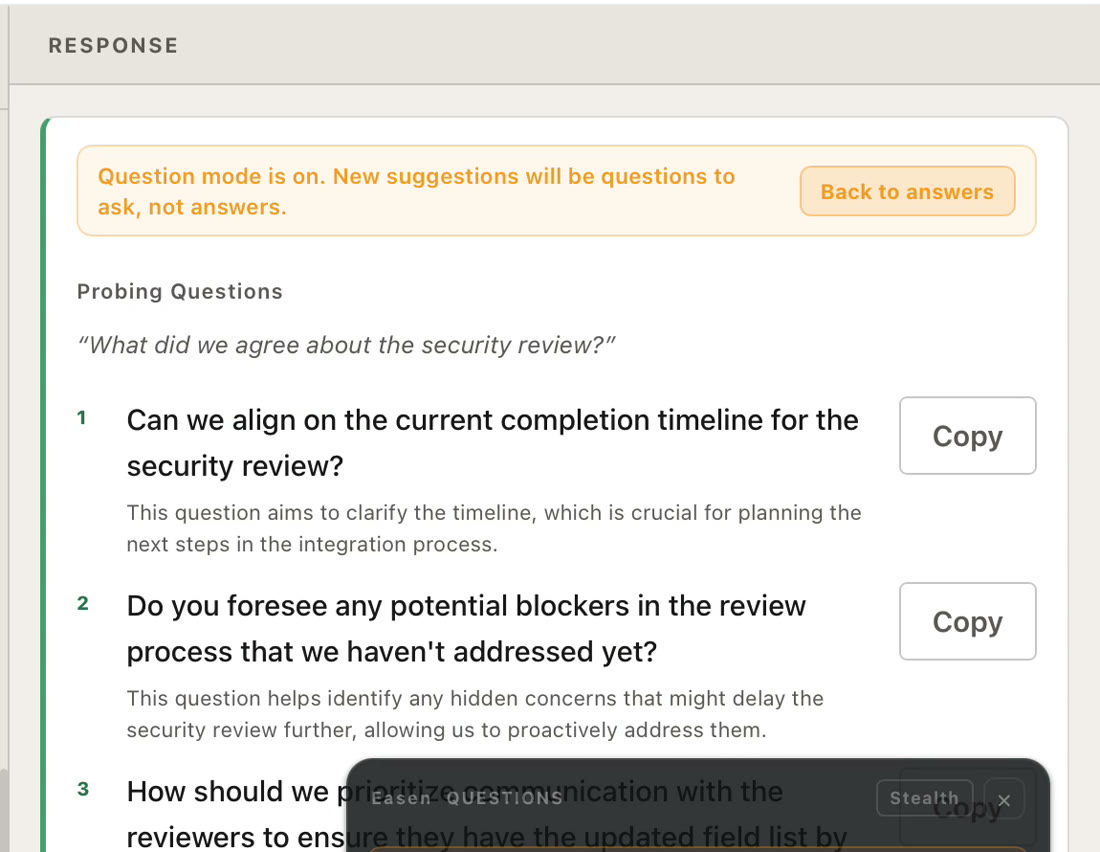
Turn any answer into the questions worth asking, and keep the conversation moving on your terms.
Mid-call
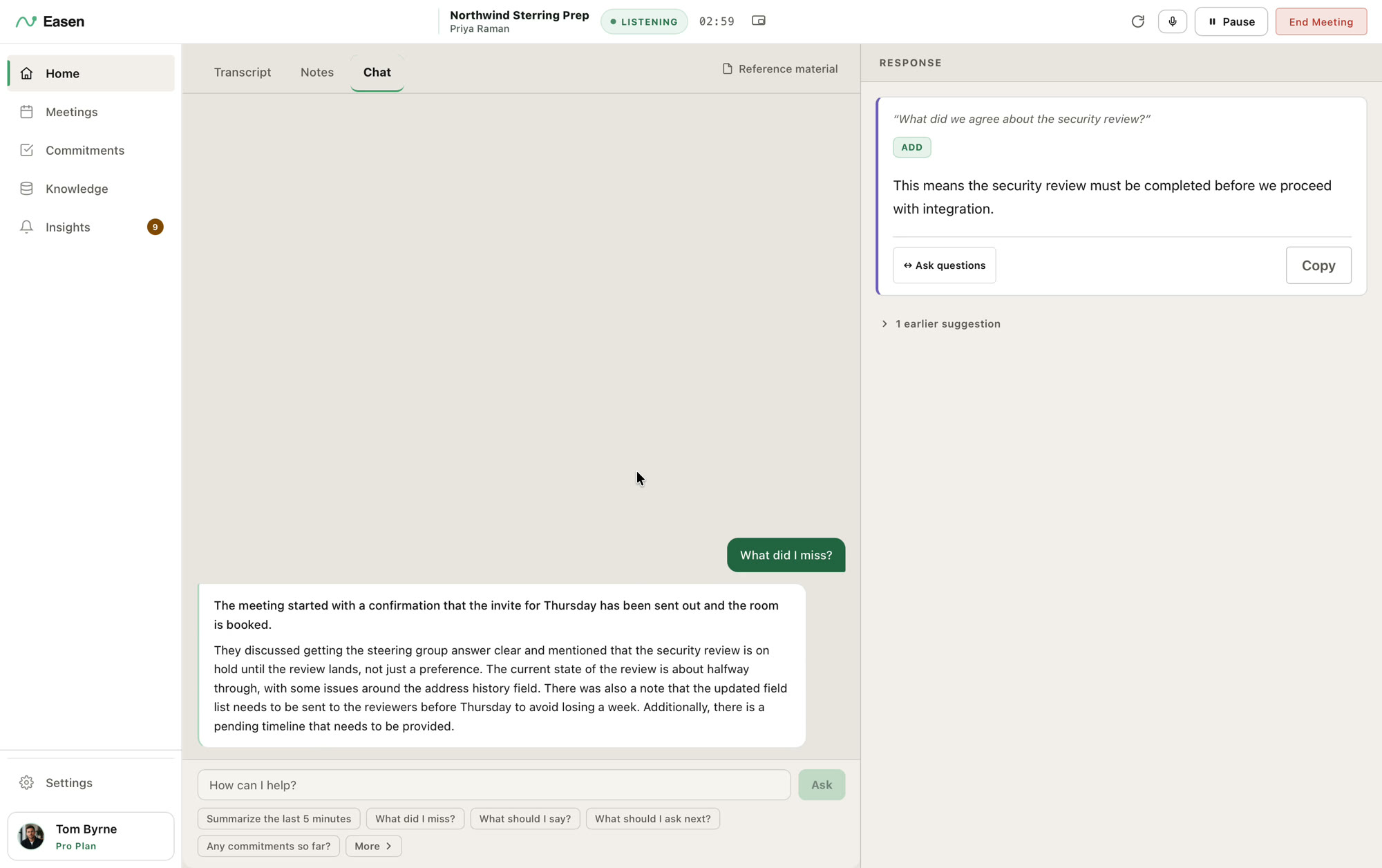
Lost the thread? Ask what you missed.
Type a question in the meeting chat and Easen catches you up from the live transcript. Nobody knows you drifted.
The details
Built for the conversation, not for the recording.
Hears both sides
Your voice through the microphone, everyone else through your computer's audio. In a room, the microphone hears everyone.
Any call, or none
Zoom, Google Meet, Teams, Webex, Slack, or a meeting in person. There is nothing to install in the call.
Out of sight
On the Mac, answers appear on a small overlay that can be left out of screen shares.
Private notes
Jot a note mid-call. It is saved with the meeting and never sent to the AI.
Knows your documentsProfessional
Add a contract, a proposal or a spec and Easen draws on it during the call.
Yours to say
Copy the answer, or say it in your own words. Easen never speaks for you.
In practice
How it works
- 01
Say who you're meeting
Type a name. Easen pulls up your history with them.
- 02
Start the meeting
Easen listens on your own computer. Nothing joins the call.
- 03
A question lands
A suggested answer appears, with where it came from.
- 04
Stay in the conversation
Glance, answer, carry on.
Next: Briefings
Know what's still open, before you say hello.
Type who you're meeting and Easen shows what you agreed last time, what each of you still owes, and where to focus.
Walk into your next meeting already knowing.
Free for 7 days. No card needed.