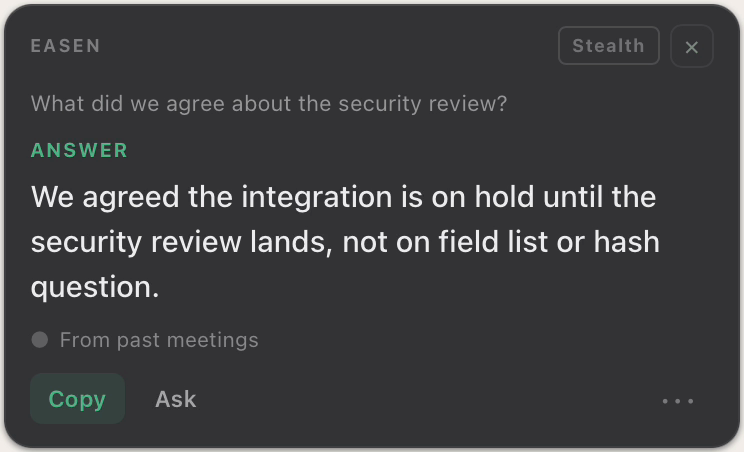
Easen is
A real-time meeting copilot and second brain, live answer and question suggestions while you speak, automatic summaries, and searchable memory. Interview Mode is built in.
Otter.ai is
An AI notetaker and “conversational knowledge engine”: live transcription, automatic summaries, and a searchable archive you can chat with across past meetings.
Otter and Easen overlap on notes and memory: both summarise meetings and let you search your history with AI. The difference is what happens live. Otter's in-meeting role is transcription plus a private Q&A you can type to; real-time coaching cards (Live Assist) are part of its Enterprise plan. Easen is built around live, in-the-moment answer and question suggestions for the speaker, and adds Interview Mode.
Comparison reflects each product’s public positioning and may change over time. Easen encourages you to try both for your specific use case.
Where Easen is different
More than help in the moment.
Helps you speak, not just take notes
Otter is excellent at capturing what was said. Easen's core job is different: surfacing what you could say next, live answer and question suggestions while the conversation is happening, for the everyday calls where you're the one talking.
Interview Mode built in
Easen tailors suggestions to a specific company and role, formats answers in STAR, and scores your performance afterward, a use case Otter doesn't cover: its recruiting tools serve the interviewer, not the candidate.
No bot in the call
Easen works from your computer, not inside the meeting, so nobody joins the call. Otter's notetaker joins as a bot by default; its desktop app and Chrome extension can record without one.
When Otter.ai might be the better pick
If your priority is best-in-class hands-off transcription and a searchable archive across your whole organisation, with CRM sync and an auto-joining notetaker for teams and sales orgs, Otter is a strong, mature choice. Easen overlaps on notes and memory, but it's built for the moments you're speaking and need help live, plus interviews.
Common questions
Does Otter suggest what to say during a meeting?
On most plans, no: Otter gives you a live transcript and a private Q&A you can type to. Real-time coaching cards (Live Assist) are part of Otter Enterprise. Easen is built around live answer and question suggestions for the speaker in any meeting.
Do both have searchable meeting memory?
Yes. Otter AI Chat answers across your past meetings, and Easen has its searchable second brain. Cross-meeting memory is a strength of both tools.
Does Easen join the call as a bot like Otter?
No. Easen works from your computer, not inside the meeting, so nothing appears to other people on the call. Otter's notetaker joins as a bot by default, though its desktop app and Chrome extension can record without one.
See it in your own meetings.
Start free: 7 days of Professional, no card required. Interview Mode is part of the paid plan.
Start free